
HD Enhancement
Applicable devices: Lixel K series / L series, Lixel P1
What Is HD Enhancement
The HD Enhancement feature allows fusing image sequences captured by other high-definition cameras after the device scan is complete, to improve the texture clarity and reconstruction quality of local areas.
Enhancement Quantity Limits
| Device | Number of Photos | Condition |
|---|---|---|
| Lixel K series / L series | 20–500 | — |
| Lixel P1 | 20–1000 | Requires HD enhancement control points |
| Lixel P1 | 20–500 | Without HD enhancement control points |
Supported formats: JPG, PNG, JPEG
Image Requirements
Consistent Focal Length and Resolution
The image sequence must maintain the same camera focal length and resolution. Avoid:
- Mixing images captured with different lenses
- Changing the focal length midway for a zoom lens
- Manually scaling or cropping images
Recommended Field of View
The optimal horizontal field of view (FOV) for images is around 100°, typically corresponding to:
- The wide-angle lens mode of a consumer phone
- About a 16mm focal length on a full-frame DSLR
Image Sharpness
Ensure images are sharp, with no obvious:
- Focus blur
- Motion blur
- Overexposure or underexposure
Shooting Position Planning
Properly planning the shooting position and orientation of images can significantly improve the success rate of HD Enhancement.
Basic Requirements
- Capture 20 or more continuous images per area whenever possible
- Adjacent images should have 80% or more overlap; avoid large movements and camera rotation
- Among each continuous set of images, at least 1 should be close to the position and orientation of the Lixel device's camera at capture time — the more images overlap with the device trajectory, the more it improves enhancement results and success rate
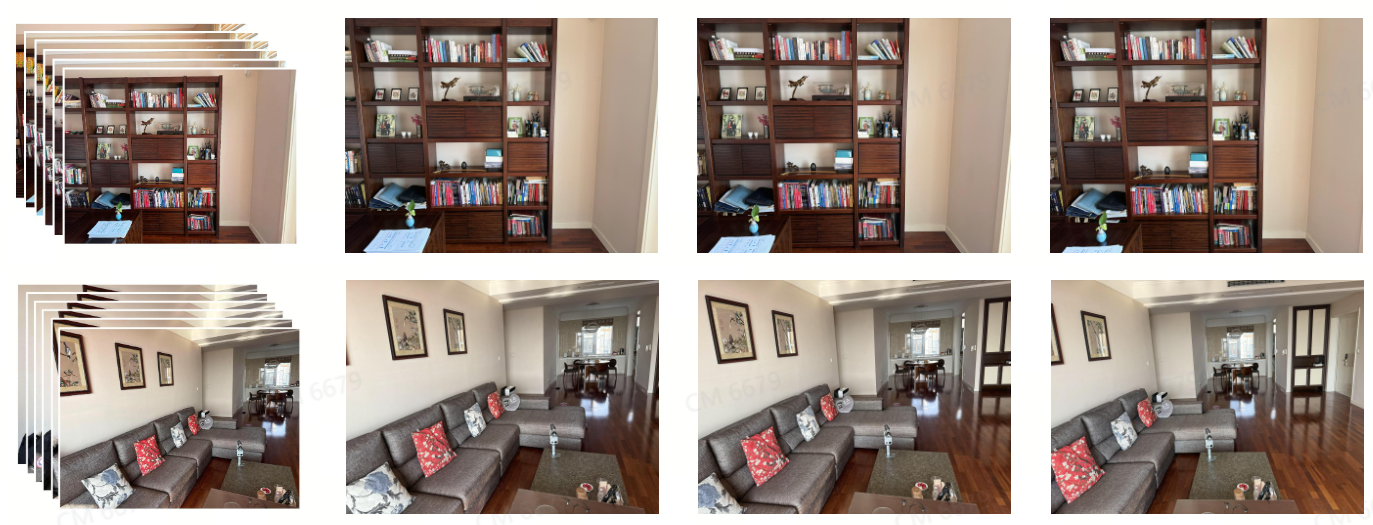
Continuous shooting: adjacent image overlap ≥ 80%
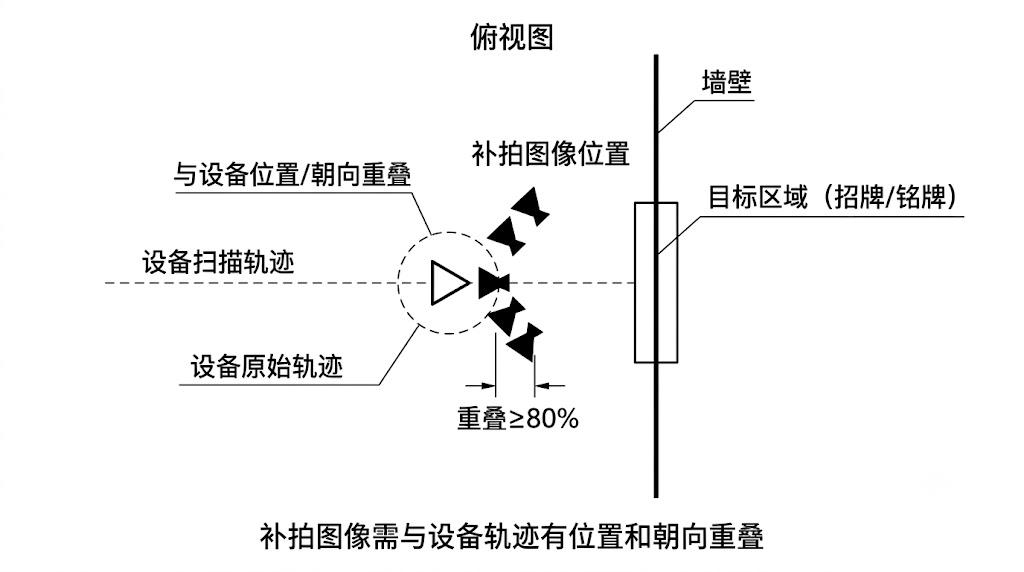
Enhancement images need position and orientation overlap with the device capture trajectory (top-down view)
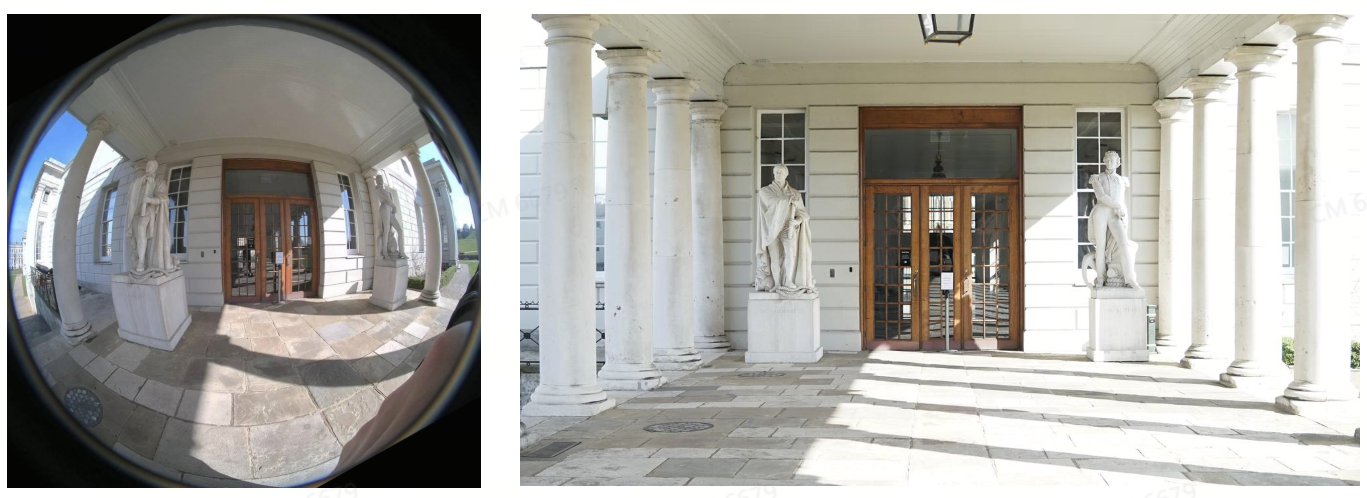
Alignment of the enhancement camera with the device camera in position and orientation (side view)
Special Areas to Avoid
Avoid HD Enhancement targeting the following special areas. When unavoidable, minimize their proportion in the image:
| Type | Description |
|---|---|
| Weak texture | Plain or near-plain-colored areas |
| Repetitive texture | Areas with many repeating structures |
| Reflection | Areas with highlights or specular reflection |
| Dynamic scene | Areas with moving objects |
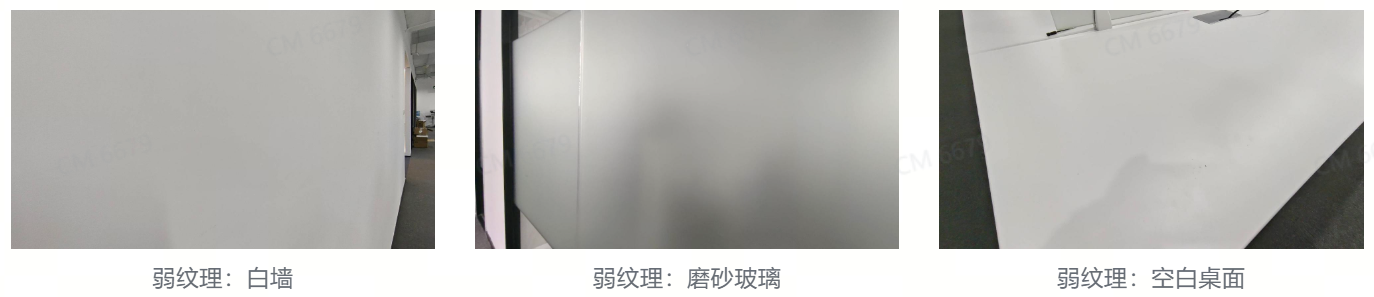
❌ Weak texture: plain-colored area
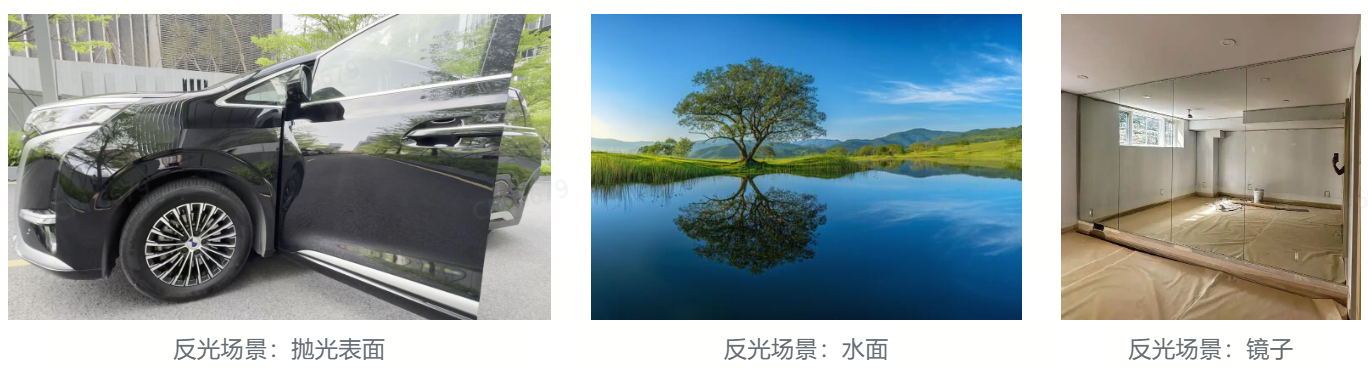
❌ Reflection: highlights/specular reflection
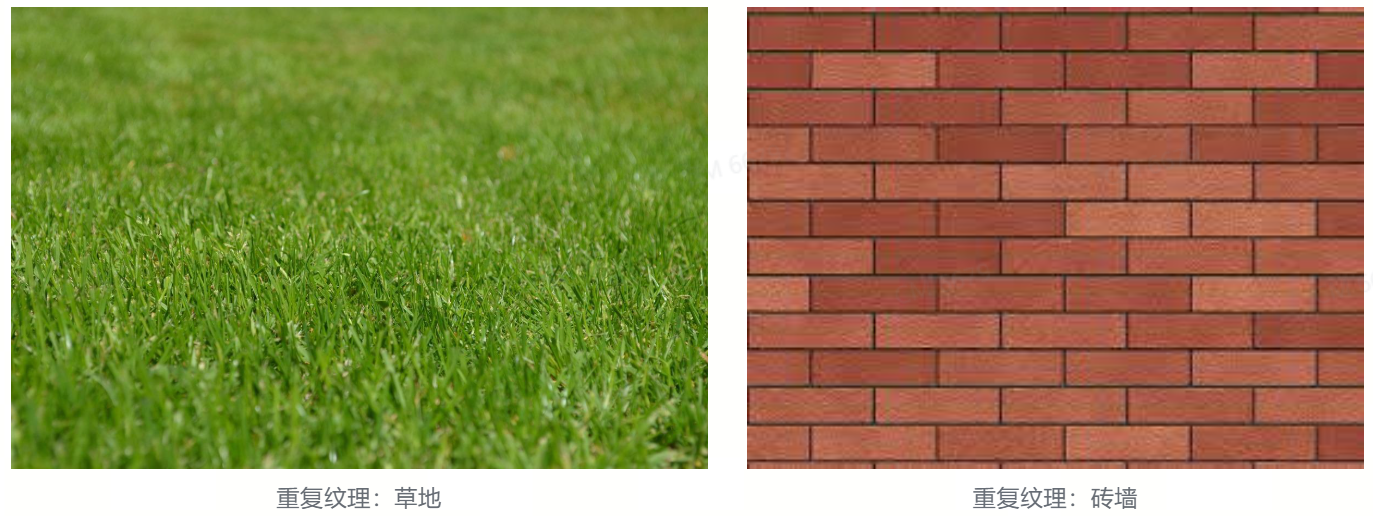
❌ Repetitive texture: many repeating structures
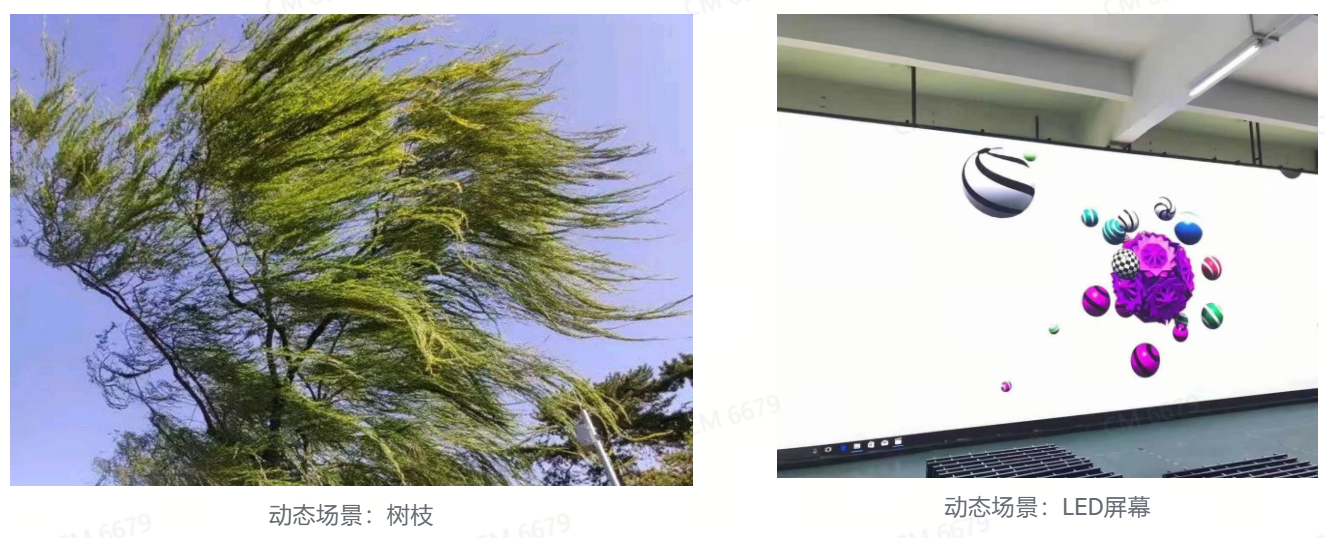
❌ Dynamic scene: moving objects present
Post-Capture Screening
After shooting, you can manually filter out photos that do not meet requirements (blurry, overexposed, containing dynamic objects, etc.) to avoid these images negatively affecting the result.
Enhancement Area Selection
Areas suitable for HD Enhancement:
- Signs, text, logos (need to be clearly legible)
- Exhibits, artworks (need high-detail textures)
- Important equipment panels (dashboards, control panels)
- Areas that are blurry or missing in the original scan
HD Enhancement Checklist
- [ ] All images use the same focal length and resolution
- [ ] Image FOV approx. 100° (phone wide-angle or DSLR 16mm)
- [ ] Images sharp with no blur, no over/underexposure
- [ ] ≥ 20 continuous images per area
- [ ] Adjacent image overlap ≥ 80%
- [ ] At least 1 image close to the device's position and orientation at capture time
- [ ] Avoid weak texture/repetitive texture/reflection/dynamic areas
- [ ] Unqualified photos removed