
User Guide
The first time you open the LCC Model Editor, the User Guide pops up automatically. It walks you through the interface layout and core operations step by step to help you get up to speed quickly.
Automatic Start
The User Guide launches automatically on your first entry into the editor. Just follow the highlighted prompts to learn each functional area and common operation.
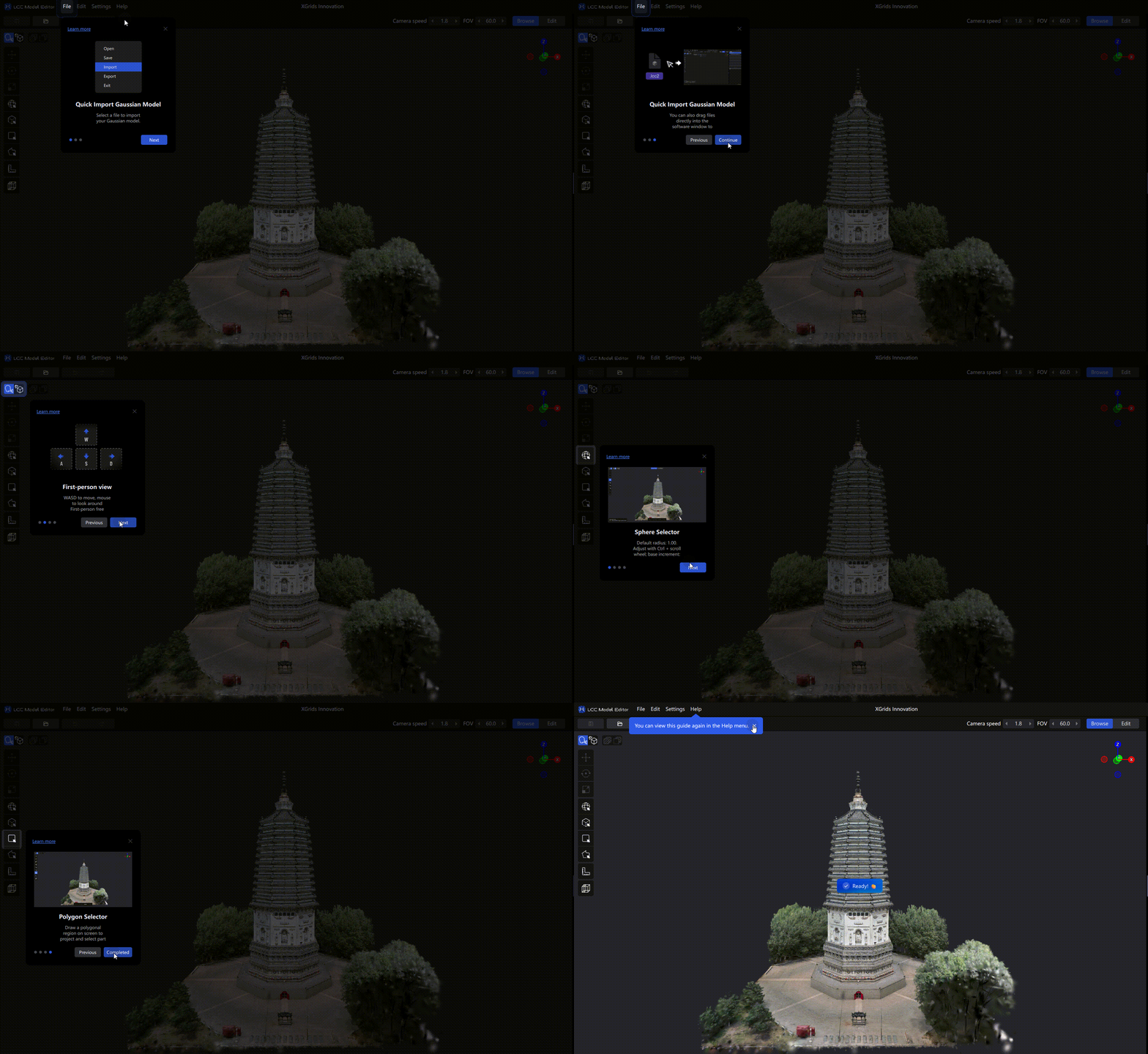
User Guide demonstration
Closing the Guide
You can close the User Guide at any time. Closing it doesn't affect normal use of the editor.
Reopening
After closing the guide, you can reopen it anytime via Menu bar → Help → User Guide to review it as often as you like.